
Block
Stop matching requests with no host permission
Request rules that stay on your device
Create your own redirects: open one web address and go straight to the page you choose. Your rules stay in your browser. No account needed.
Chrome · Edge · Firefox
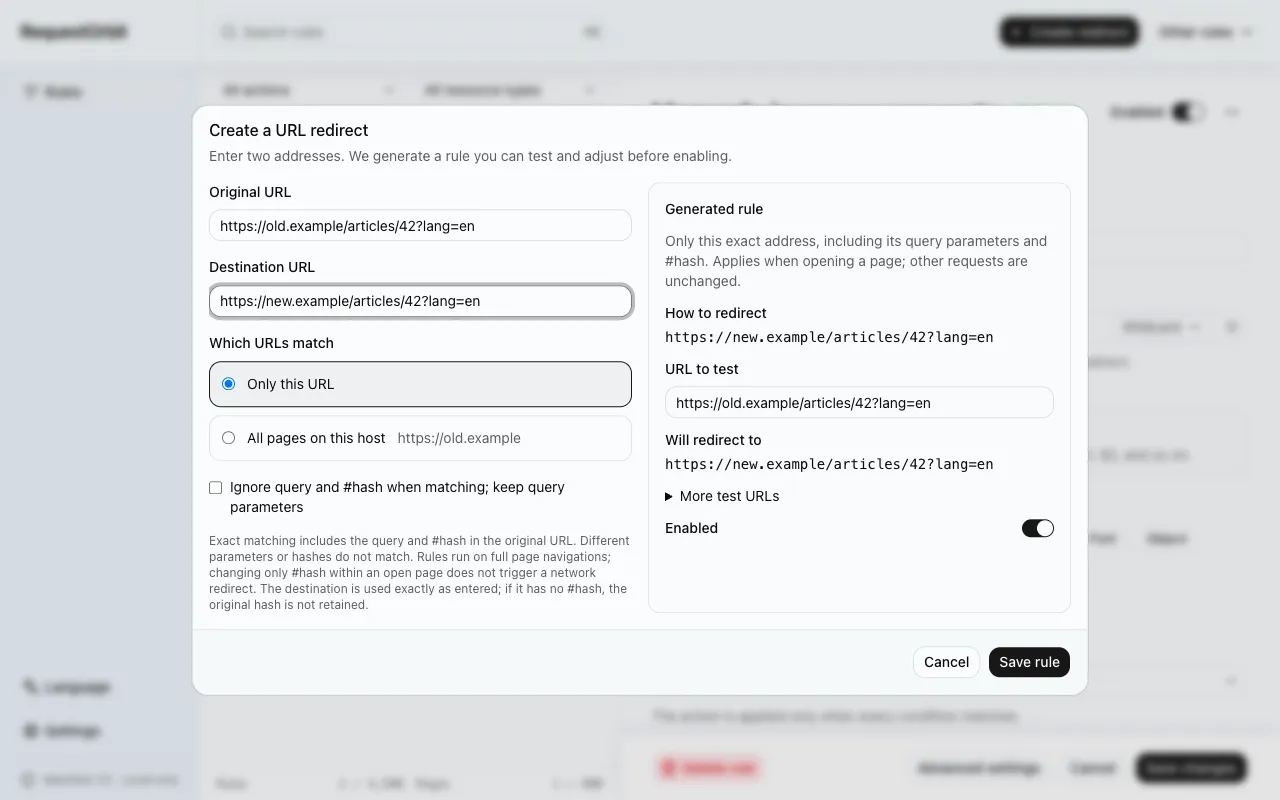
A safer way to work
New rules default to Enabled and apply when saved with any required permission. Turn Enabled off to save without applying. Imported rules remain off for review.
Use a URL filter for everyday rules, a simple wildcard for easy captures, or a regular expression for advanced logic
Try a URL and see the expected result without sending a network request
The browser asks for site access only when the rule really needs it
Stop matching requests with no host permission
Send matching requests to another HTTP or HTTPS address
Move matching HTTP traffic to HTTPS
Remove or set supported request headers within a defined scope
Export verified JSON and preview every change before importing
Review rules from the old version while keeping the original data available
Start with a short guide, then dig into the details when you need them
Rules stay in your browser. There is no analytics code and no remote service handling your rules.